- admin
- 0 Comments
- 999 Views
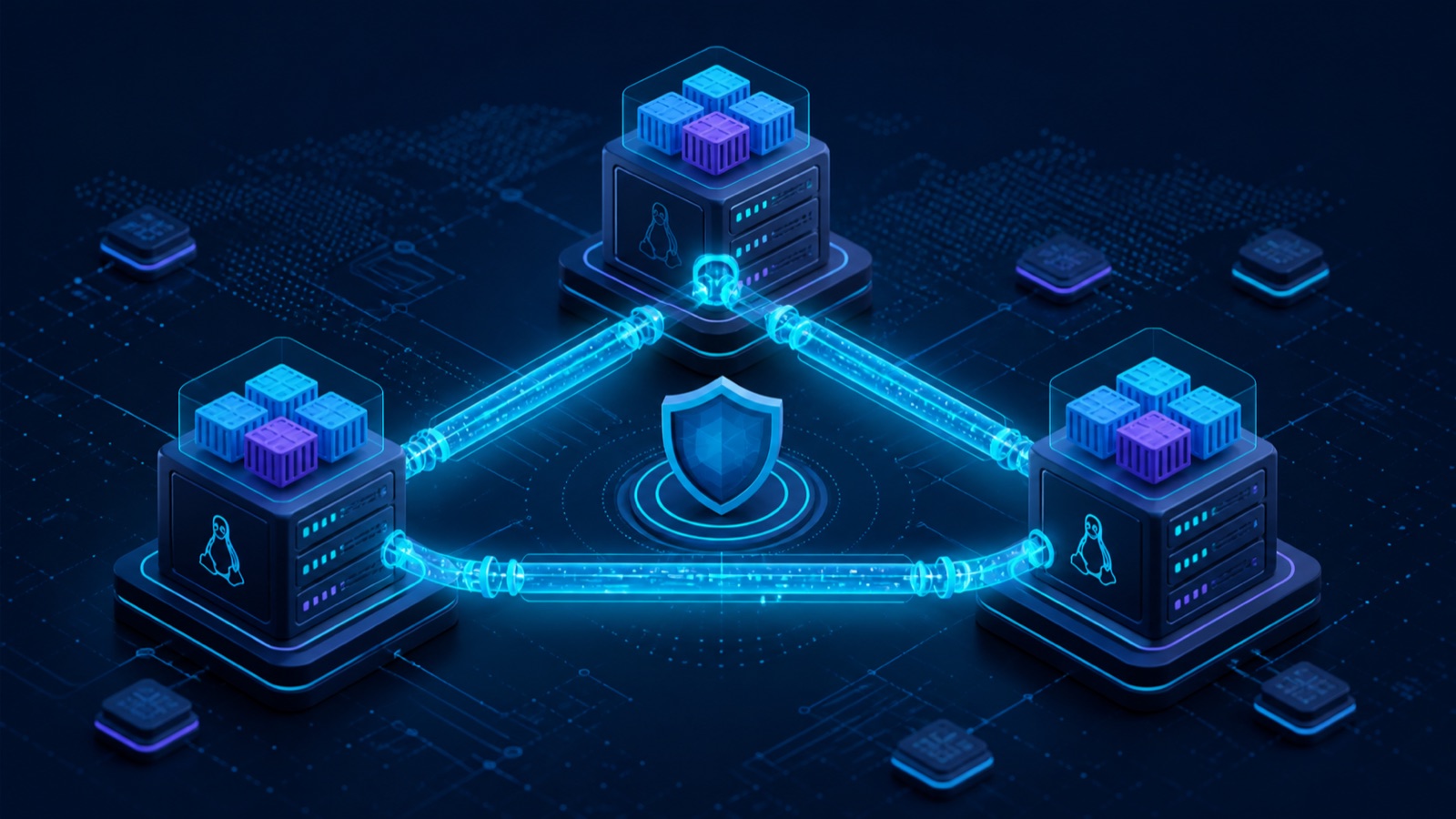
Three Linux servers, three different networks, and one Docker Swarm—without public IP addresses, router port forwarding, or internet-facing management ports.
The short version: Tailscale did not replace security engineering. It removed the network friction. Each node received a stable private address, discovered the other nodes, and carried Swarm traffic through an encrypted mesh.
Docker was ready. The network was not.
My lab had a Linux Mint manager, a Rocky Linux worker behind NAT, and a Debian worker on a separate network. Docker was running everywhere, but a Swarm cannot form without dependable node-to-node connectivity.
1ManagerLinux Mint on the local network
2WorkerRocky Linux behind NAT
3WorkerDebian on another network
Swarm needs TCP/2377 for cluster management, TCP and UDP/7946 for node discovery, and UDP/4789 for the overlay network. Exposing these ports—especially VXLAN—to the public internet was not an acceptable design.
The goal: make the nodes behave like members of one private LAN while keeping management services invisible to the public internet.
What Tailscale actually changes
Tailscale creates a private tailnet on top of WireGuard. Every device receives its own identity and private address. When possible, traffic takes a direct peer-to-peer path; Tailscale coordinates keys, NAT traversal, DNS, device discovery, routes, and access policy.
Control planeCoordinates identity, keys, routes, and policies.
Data planeCarries real traffic through encrypted WireGuard tunnels.
Relay fallbackDERP or peer relay is used only when direct connectivity fails.
Laptop ───── WireGuard encrypted tunnel ───── Server
        direct when possible · relay when necessary
A relayed connection remains end-to-end encrypted. The practical trade-off is latency and throughput, not confidentiality.
Building the Swarm on Tailscale addresses
After installing Tailscale on all three systems, I verified connectivity with tailscale status and tailscale ping. Then I told Docker to advertise the manager’s Tailscale address.
1. Initialize the manager
docker swarm init \
  --advertise-addr <TAILSCALE_MANAGER_IP>
2. Join each worker
docker swarm join \
  --token <WORKER_TOKEN> \
  <TAILSCALE_MANAGER_IP>:2377
3. Verify the path and the cluster
tailscale ping swarm-manager-mint
docker node ls
A direct result means the peers established a direct path. A relay result means DERP is carrying the encrypted packets and performance may be lower.
What changed in day-to-day operation
- No router port forwarding
- No static public IP dependency
- SSH reachable only privately
- MagicDNS instead of memorized IPs
- Three networks behaving like one LAN
- Access limited by tags and policy
For server access I could keep ordinary OpenSSH and use Tailscale addresses, or enable Tailscale SSH for identity-aware authorization.
sudo tailscale set --ssh
ssh sepehr@swarm-manager-mint
Tailscale versus a traditional VPN
| Concern | Traditional VPN | Tailscale |
|---|---|---|
| Topology | Usually a central gateway | Mesh; direct where possible |
| NAT traversal | More manual configuration | Automatic on many networks |
| Key management | Manual or server-centered | Identity and device based |
| Internal DNS | Separate configuration | MagicDNS |
| Access control | Primarily network based | User, device, tag, and policy based |
A traditional VPN is still the right choice when full gateway and routing control is the priority. For homelabs, small teams, and distributed infrastructure, Tailscale usually has a much smaller operational footprint.
Security still requires deliberate policy
Installing Tailscale does not automatically create a Zero Trust environment. The useful part is the ability to make identity-aware, least-privilege rules—and then maintain them.
- Review the default policy
- Tag servers by role
- Restrict SSH to management devices
- Enable MFA at the identity provider
- Remove retired devices
- Keep the operating-system firewall
For Swarm, allow only the required ports between
tag:swarm-manager and tag:swarm-worker. A private tailnet should never become an unrestricted flat network.Where subnet routers fit
Printers, NAS devices, routers, and legacy systems may not support a Tailscale client. A Tailscale node can advertise their local subnet instead:
sudo tailscale set \
  --advertise-routes=192.168.56.0/24
After the route is approved, only tailnet identities allowed by policy can reach those resources.
Frequently asked questions
Does Tailscale require a public IP?
Usually not. It attempts NAT traversal first and falls back to an encrypted relay when a direct path is unavailable.
Does traffic always pass through Tailscale servers?
No. Direct connections move traffic peer to peer. DERP is used only when direct connectivity cannot be established.
Is Tailscale suitable for Docker Swarm?
It is highly useful for labs and distributed nodes, provided Swarm ports and access policies are designed carefully.
How is Tailscale different from WireGuard?
WireGuard is the tunneling protocol. Tailscale adds identity, key management, mesh coordination, NAT traversal, DNS, and access policy.
Final takeaway
The real value of Tailscale was not “another VPN.” It removed network friction. Three nodes in three environments became a private, manageable Swarm without public management ports or hand-maintained tunnels—leaving me free to work on the infrastructure instead of the routers around it.